
Wix lets you offer free shipping above an order amount in three ways, but it doesn’t tell shoppers how close they are. You can tick a box in a shipping rule, set the top range of a price-based rule to $0, or create a free shipping coupon with a minimum subtotal. A threshold only raises order value when customers know about it and can see what to add, so choosing the amount and showing it matter as much as the setting itself.
This guide covers the setup, how to choose an amount that pays for itself, and how to get customers over it.
Wix free shipping thresholds at a glance
- Native setup: a free-shipping checkbox on flat-rate and rate-by-weight rules, a $0 top range on rate-by-price rules (up to 30 ranges), or a free shipping coupon with a minimum subtotal.
- Not documented natively: a progress bar or “you’re $X away from free shipping” message.
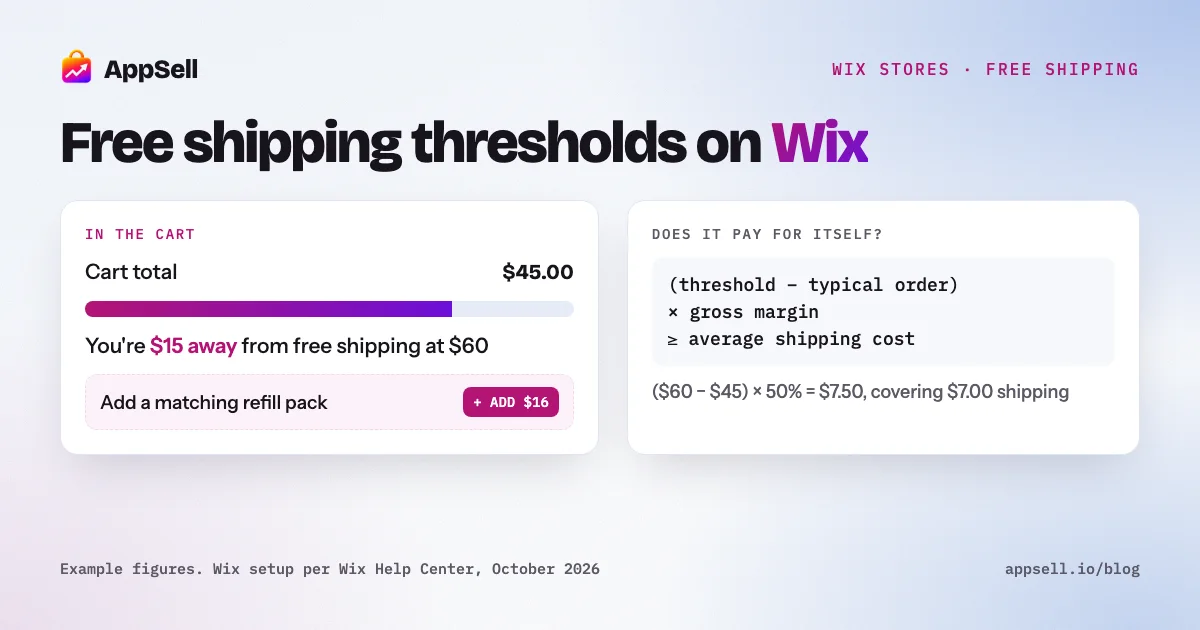
- The formula: the threshold pays for itself when (threshold − typical order) × gross margin ≥ average shipping cost.
- Rule of thumb: set it a little above what most customers already spend, using the median order rather than the average.
How do you set up free shipping over a certain amount on Wix?
Use one of three native options, all in your store’s shipping settings or coupons. Shipping on Wix is set per region, so repeat the setup for each region you ship to.
Option 1: the free-shipping checkbox on a shipping rule
Open a region, edit its flat-rate or rate-by-weight rule, and select the option to offer free shipping when a customer buys over a certain amount. Enter the amount. Customers below it pay your normal rate; customers above it get free shipping. This is the simplest setup and fits most stores.
Option 2: a rate-by-price rule with a $0 top range
A rate-by-price rule charges different rates for different order values, for example $8 for small orders, $5 for medium ones and $0 above a set amount. You can create up to 30 price ranges, and customers only see the rate that matches their order.
This works well if you want shipping to get cheaper as the order grows, not just jump to free at one point. It gives customers a reason to add to the cart even when free shipping is still out of reach.
Option 3: a free shipping coupon with a minimum subtotal
Create a free shipping coupon and set it to apply when the order subtotal is over a set amount. You can cap total uses and limit it to one use per customer. Use a coupon for a temporary promotion or for specific customers: Wix doesn’t support customer-specific shipping rules, but you can share a coupon with the people you choose.
Two settings to check while you’re there:
- Every region needs an active rule. A region with no active shipping, local delivery or pickup rule can’t buy from your store.
- Minimum order amount is a different setting. It stops customers from checking out below a set total. That’s a hard floor, not an incentive, so use it only when small orders genuinely don’t make sense for you.
How do you choose a free shipping threshold that pays for itself?
Set it where the extra spend it encourages covers the shipping you give away. The test is one line:
A threshold pays for itself when (threshold − typical order) × gross margin ≥ average shipping cost.
Here’s a worked example. Your typical (median) order is $45, your gross margin is 50%, and shipping costs you $7 on average:
| Threshold | Extra spend needed | Extra gross profit (50%) | Shipping you give away | Result per stretched order |
|---|---|---|---|---|
| $50 | $5 | $2.50 | $7.00 | −$4.50 |
| $55 | $10 | $5.00 | $7.00 | −$2.00 |
| $60 | $15 | $7.50 | $7.00 | +$0.50 |
At $60, a customer who adds $15 to reach free shipping earns you enough extra profit to cover the shipping. At $50, every customer who stretches to qualify costs you money.
Three things the formula doesn’t capture, so check them too:
- Orders already above the threshold. They get free shipping without changing their behavior, which costs you the shipping you would have charged. A threshold set too low gives free shipping away on orders that would have happened anyway.
- Conversion. Free shipping can win sales you would otherwise lose at checkout. That’s worth something, but measure it rather than assume it.
- The median, not the average. A few large orders pull the average up. If most of your orders are around $40 but a handful are $300, a threshold based on the average will be out of reach for most customers.
After launch, watch three numbers together for a few weeks: average order value, conversion rate and shipping cost as a share of revenue. A higher order value that comes with fewer orders or thinner margin isn’t a win.
How do you show customers the threshold on Wix?
Tell them before the cart and show them the gap in the cart. A threshold nobody knows about changes nothing.
- State it site-wide. Add a line such as “Free shipping on orders over $60” to your header or an announcement strip, which you can edit in the Wix Editor.
- Repeat it on product pages, near the price, so it’s part of the buying decision.
- Show the remaining amount in the cart. This is the most effective place, because the customer can act on it immediately. Wix’s shipping documentation doesn’t describe a native progress message, so stores use an app to show “you’re $15 away from free shipping”.
How do you help customers reach the threshold?
Show them something worth adding, at the moment they see the gap. A customer $8 short of free shipping will add a product, but only if the right one is in front of them. Searching the store for it is a step most won’t take.
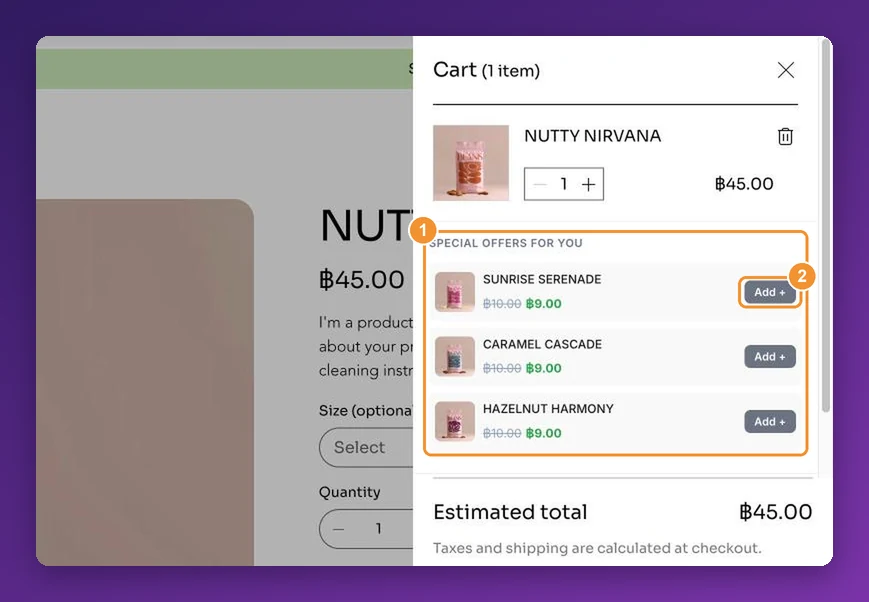
- Suggest low-priced, relevant items in the cart: socks with shoes, a refill with a device, a card with a gift. Aim for items that close a typical gap without overshooting it by much.
- Use Wix’s Related Products gallery on the cart page. In the cart it shows products from the same category, chosen automatically.
- For targeted suggestions, such as specific add-ons based on what’s in the cart and priced to close the gap, you need an upsell app. Wix’s gallery can’t hand-pick products or attach a discount.
- Pair the threshold with a volume discount on consumables. “Buy 2, save 10%” often carries a customer over the threshold in one step. See our guide to volume discounts on Wix.
Wix on its own vs. with an app
| Wix on its own | With an app | |
|---|---|---|
| Free shipping above an amount | Checkbox, $0 price range or coupon | Uses your Wix shipping rules |
| Telling shoppers the threshold | Text you add to the header or pages | Bar or message, often site-wide |
| “You’re $X away” in the cart | Not documented | Live remaining amount |
| Products to close the gap | Same-category gallery on the cart page | Targeted cross-sells in the cart |
| Free shipping as an offer reward | Coupon the customer types in | Attached to an offer the customer accepts |
Setting it up with AppSell
AppSell adds cart drawer cross-sells with one-click add, so a customer a few dollars short of free shipping can close the gap without leaving the cart, and it can make free shipping the reward for accepting an offer. It’s rated 4.8 stars from 304 reviews on the Wix App Market and is Verified by Wix. For everything Wix does and doesn’t do on its own, read Can you upsell on Wix?. For plans, see the pricing page.
Frequently asked questions
- How do I offer free shipping over a certain amount on Wix?
- In your shipping settings, open a region's flat-rate or rate-by-weight rule and select the option to offer free shipping when a customer buys over a certain amount, then enter the amount. You can also use a rate-by-price rule and set the last price range to $0, or create a free shipping coupon that requires a minimum order subtotal.
- Does Wix show customers how close they are to free shipping?
- Wix's shipping documentation doesn't describe a native progress bar or 'you're $X away' message. Most stores either state the threshold in the site header or use an app that shows the remaining amount in the cart.
- What's a good free shipping threshold?
- One that is a little above what most customers already spend, and where the extra spend covers the shipping cost. A threshold pays for itself when the amount between your typical order and the threshold, multiplied by your gross margin, is at least your average shipping cost.
- Should I use the median or the average order value to set the threshold?
- The median, when your order values vary a lot. A few large orders pull the average up, which can put the threshold out of reach for most customers. Look at the spread of order values too, not just one number.
- How many price ranges can a Wix rate-by-price rule have?
- Up to 30. Each range has its own rate, and customers only see the rate that matches their order. Setting the top range to $0 makes shipping free above that amount.
- Can I offer free shipping only to some customers on Wix?
- Wix doesn't support customer-specific shipping rules. Instead, create a free shipping coupon and share it with those customers. Coupons can require a minimum subtotal and can be limited to one use per customer.
- Can I offer free shipping and a faster paid option on Wix?
- Yes. Create the free shipping rule for a region, then add another rate, such as a $5 flat-rate express option. Customers choose between them at checkout.